Buying Guides
HDMI Angle Adapter Guide: Clean Installs Behind Wall Mounted Panels
Wall mounted panels leave almost no room behind them. Pick HDMI angle adapters by geometry, exit direction and bandwidth rating, so the install closes clean on the first visit.
Every installer knows the moment. The panel is finally on the wall, the cable is connected, and then the head of the cable pushes against the back of the panel and forces the screen a few degrees off the wall. Behind slim displays there is often less than two centimeters of clearance, a full size HDMI plug needs more room than that, and the cable wants to bend sharply right where the connector ends. An HDMI angle adapter exists for exactly this problem. Choosing the right one is mostly about geometry, direction and bandwidth, and getting it wrong at ordering time costs a second shipment and a delayed install.
Why the angle matters more than the cable
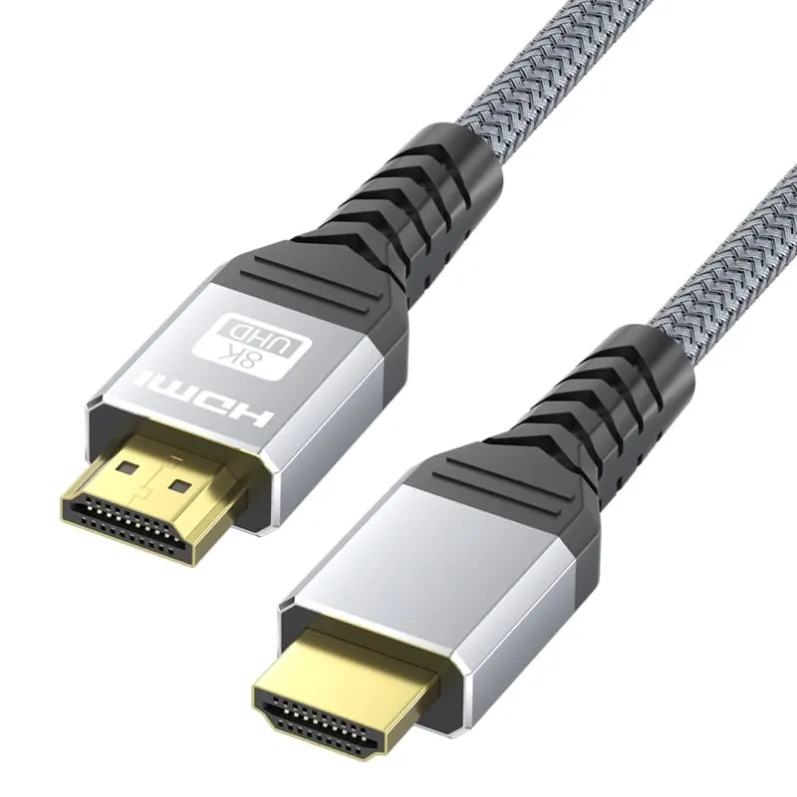
A straight HDMI plug is about 21 mm deep from the port face to the end of the molded shell, and the cable exits from the back of that shell. In a tight recess, that exit direction decides everything. Push a thick cable straight back into a shallow gap and the shell levers against the port, which puts sideways stress on the solder joints inside the display. Over months of thermal cycling, that stress is how ports crack loose. An angle adapter moves the cable exit to the side, so the cable lies flat along the back of the panel instead of pushing into the wall.
This is also why the adapter is not only about clearance. It is about relieving mechanical strain on one of the most expensive ports in the whole system. Replacing a damaged HDMI input on a mounted display means a service call, and the adapter costs a fraction of one.
Two geometries, one decision
There are two families in daily use. The 90 degree adapter turns the cable exit to one side. The 270 degree adapter points the cable back toward the wall in an up or down direction. Wall mounted displays almost always want the 270 degree style, because the cable should run along the wall surface to a conduit or an outlet. Desk and shelf setups usually want the 90 degree style, where the cable exits sideways toward the edge of the furniture.
The direction detail is where orders go wrong. A 270 degree adapter comes in up, down, left and right orientations, and a 90 degree adapter comes in left and right. These names describe where the cable ends up when the plug is seated in the port, and the right answer depends on which side of the display the cable run lives. Ordering a right exit when the install needs a left exit is one of the most common reorders in the accessory trade, and it is completely avoidable with a sketch on paper before the purchase order goes out.
Say the direction in the order, not in your head
Buyers should treat the exit direction as a specification, not a preference. The practical habit is simple. Face the back of the display, note which side the conduit or cable channel sits on, and write the orientation into the order line. A phrase like 270 degree down exit, or 90 degree right exit, removes the guesswork for everyone downstream, from the warehouse picker to the installer on site.
Gender matters here too. Most angle adapters are male to female, with the male end into the display and the female end receiving a normal HDMI cable. Check which end your existing cable terminates in, because an adapter is useless if it duplicates the connector you already have. This sounds obvious, and yet mixed connector orders remain a steady source of returns.
Do not let the adapter downgrade the link
An adapter is part of the signal path, so its rating caps the whole chain. If the display and source are running 4K at 120 Hz or 8K content, the adapter needs to be rated for HDMI 2.1 class bandwidth, and the cable after it needs to match. A certified 48 Gbps cable connected through an unverified adapter is no longer a certified link.
For long runs the order of parts is easy to remember. Active fiber optic HDMI cables carry the long distance, and the angle adapter sits at the display end as a short passive join between the fiber cable and the port. Keep the adapter side short, because fiber heads are larger than plain copper heads and the adapter adds a few millimeters of depth. Measure the total stack, plug depth plus adapter depth, against the clearance you actually have.
A five minute checklist before ordering
Start with the measurement. Note the port depth clearance behind the mounted panel and compare it against the combined stack of plug and adapter. Then fix the geometry, 270 degree for wall runs and 90 degree for shelf runs, and write the exit direction into the order. Confirm the gender of both ends, and confirm the bandwidth rating matches the highest signal the chain will carry, not the average one. Finally, put one spare adapter of each orientation in the install kit. The spare that costs almost nothing is the one that saves a return visit.
Installers who close the wall or mount the panel before testing the full chain learn this the hard way. Connect everything, confirm the signal, then finish the finishing work.
What we supply
Mattzon builds HDMI adapter and cable ranges for the commercial install trade, with 89 percent of products on private tooling for OEM and ODM programs. Samples are accepted with no minimum order quantity, and production runs are scheduled in 3 to 25 days from our factory in Shenzhen. If your project list calls for specific exit directions or bandwidth ratings, send the list first, because the adapter you specify today decides whether the install closes clean tomorrow.